Tuesday, July 29, 2014

Mesh Comparison - Javascript & ASP.NET service

Web page for mesh comparison

Pure JS, client-side scripting
  • For the interactive servicing of mesh comparison(or retrieval), I made the web page for it using X3DOM for visualization and JS for calculation.
  • It was pretty successful, and you can see the result in the below link.
  • You can test with your OBJ or OFF mesh data or,
  • You can download sample model from here.
  • http://ssong.kaist.ac.kr/upload_test.html
  • (OBJ and OFF parser may have some limitation.)
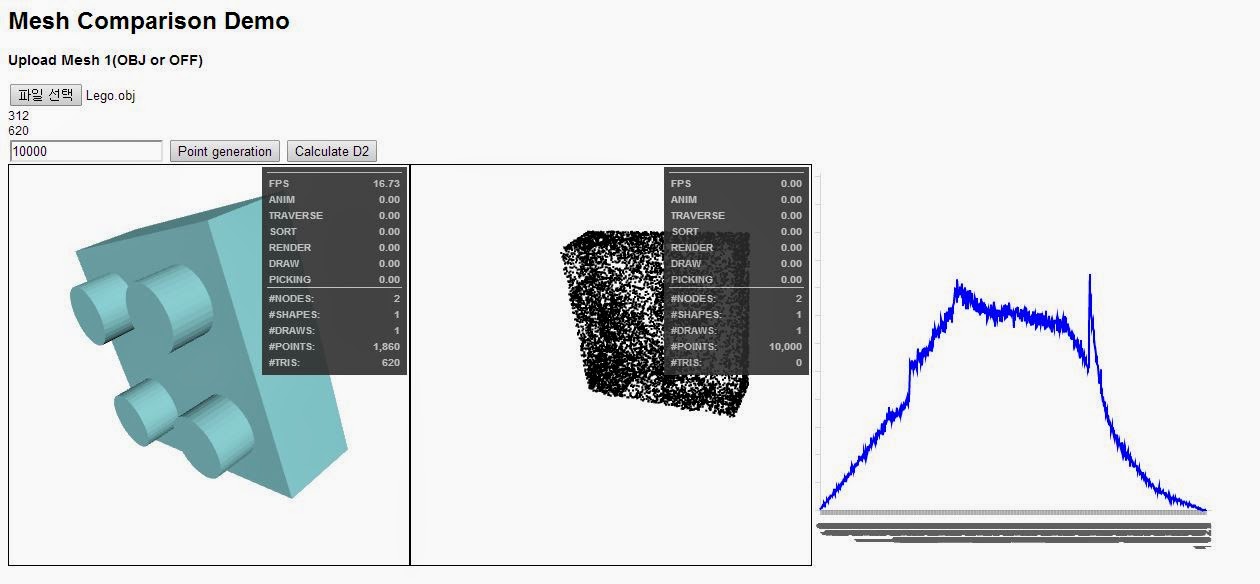
Using ASP.NET
  • Soon, I realize that the client-side scripting is not enough for maintaining DB for mesh data, and shape descriptors.
  • I'm not familiar with the various web technologies and choose a server-side programming method that I can develop fast-ASP.NET
  • First step is develop the calculation module with C# DLL, which is just a conversion task from JS.
  • Second step is designing the layout, which I'm not good at, and connecting the module with elements in the page.
  • Also, one functionality added is storing the uploaded mesh data into server machine for later development.
  • For dynamic visualization of X3DOM, "HTMLGenericControl" of ASP.NET was used to change the attribute value in X3D node.(Is there any performance issue?)
  • You can test with your OBJ of OFF mesh data, but you should keep in mind that the DATA YOU UPLOADED WILL BE STORED IN MY SERVER MACHINE.
  • (OBJ and OFF parser may have some limitation.)
  • http://143.248.54.5:1234/default.aspx

Further Issues

In development
  • The postback harms the UX...
  • Performance itself seems worse than JS
  • Hopefully, I will solve the problems by modifying the structures.
  • Model DB displaying, selection and retrieval.
In methodology
  • I didn't clearly understand the Histogram --> PDF part yet.
  • Several approaches on normalization, bin width selection and PDF comparing.

Wednesday, July 23, 2014

Large-scale visualization of a simulation data using Unity3D

Simulation Visualization Framework

  • The 3D visualization can help the decision making process which usually involves diverse simulation data.
  • We studied to develop efficient visualization framework, especially for the warfare simulation several years ago.
  • The framework has been proposed consisted of 7 modules and interfaces.
  • For efficient implementation, we used Unity3D which allows faster development of an application and cross-platform distribution.
  • Detailed information can be seen in HERE. 

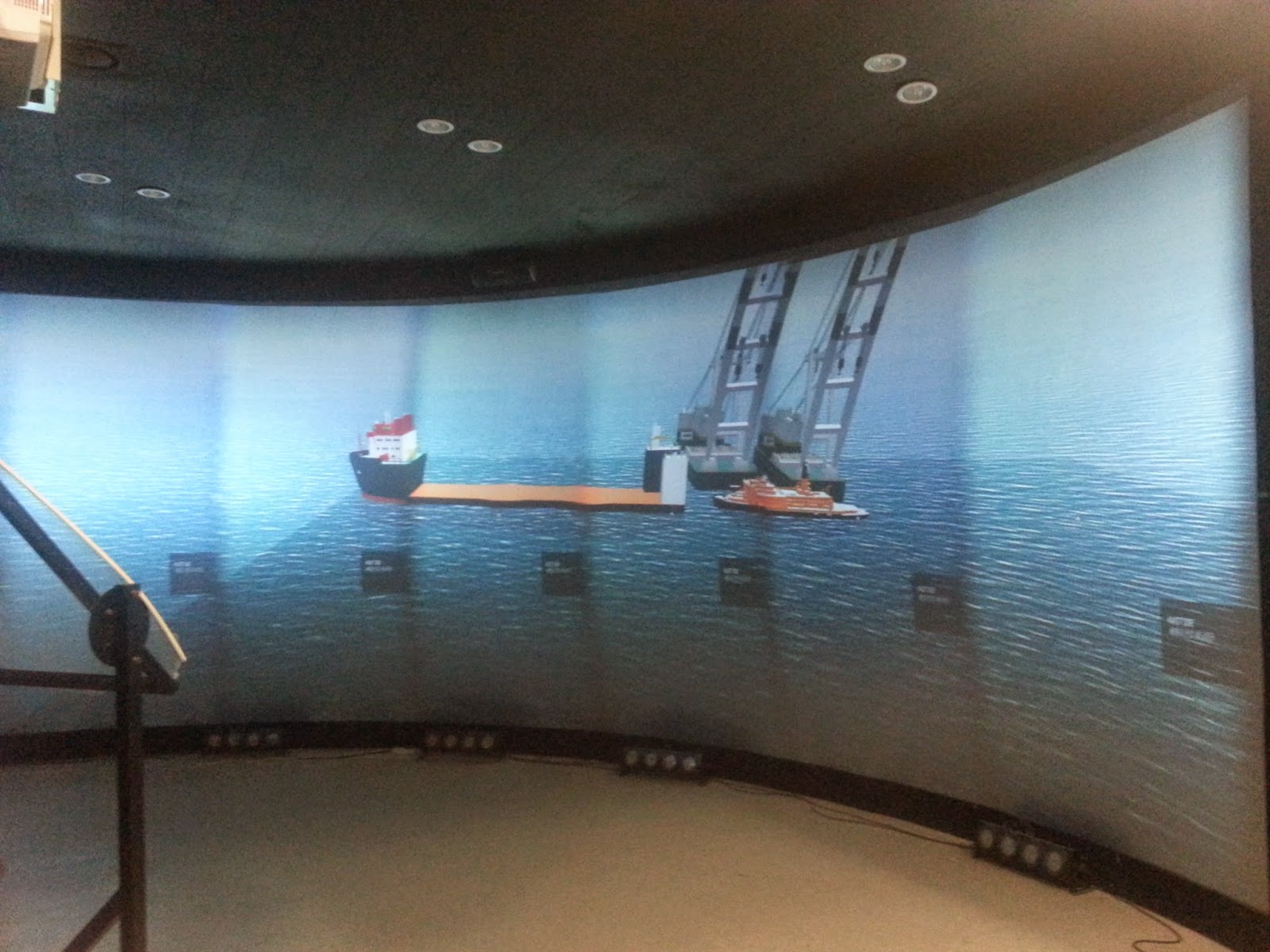
Simulation of a Capsized Ship, and Lifting Process

  • There was a serious disaster in Korea. (related article)
  • After few weeks, the ORIN Lab performed simulation to validate the reason of capsizing.
  • And this data, should be visualized as soon as possible for publishing.
  • So we reuse the framework above, and replacing only the "Data Processing" module to change the processable data from warfare simulation to capsizing simulation.
  • As a result, a day was enough to implement the application.

Extending the Application to Large-scale Visualization

  • Today, I converted the application described above, which is for standalone use, into large-scale visualization.
  • This also takes fairly short time(a day), since I already developed "Multi-Channel" module for our facility.(small grey box in the first figure)
  • So all I have to do is just plug the module in my Unity3D project and build it to install it in CAVE facility.
  • Although the GUIs are not handled properly. It is not easy to remove it in client without modifying the script code...